Data Layer Pattern: share-data และ Action-Based Structure
Scale-Ready Architecture · Part 4 of 9
share-data: Data Layer และ Action-Based Structure ที่ทุกไฟล์มีที่อยู่
Scale-Ready Architecture Series — Part นี้ต่อจาก Abstraction Layer ใน Part 2 และ Test Strategy ใน Part 3 ถ้ายังไม่ได้อ่าน แนะนำให้เริ่มจากที่นั่นก่อน โดยเฉพาะ Part 2 เพราะ
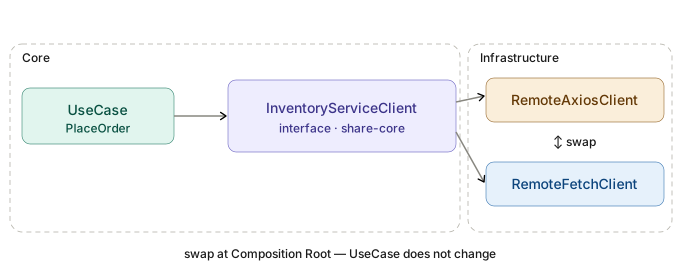
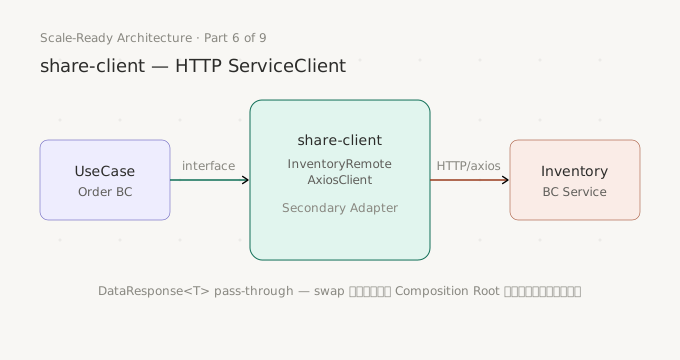
Entryของshare-dataimplement interface ที่share-coreกำหนดไว้
Repository ที่ไม่รู้ว่า Logic ควรอยู่ที่ไหน
ลองนึกภาพสถานการณ์นี้ดู คุณเปิด repository class ของโปรเจกต์ขึ้นมา แล้วพบแบบนี้:
// ❌ Repository ที่ "ทำทุกอย่าง" — ไม่รู้จะหาอะไรที่ไหน
export class OrderRepository {
  async createOrder(input: CreateOrderInput) {
    // validate input อยู่ที่นี่
    if (!input.userId) throw new Error('userId required')
    if (input.items.length === 0) throw new Error('items required')

    // business rule อยู่ที่นี่
    const user = await this.prisma.user.findUnique({ where: { id: input.userId } })
    if (user.tier === 'blocked') throw new Error('user is blocked')

    // transaction อยู่ที่นี่ปนกับ business logic
    return this.prisma.$transaction(async (tx) => {
      const order = await tx.order.create({ data: { userId: input.userId } })

      // loop with business rule ปน DB call
      for (const item of input.items) {
        const product = await tx.product.findUnique({ where: { id: item.productId } })
        if (product.stock < item.qty) throw new Error('out of stock')
        await tx.orderItem.create({ data: { orderId: order.id, ...item } })
        await tx.product.update({
          where: { id: item.productId },
          data: { stock: product.stock - item.qty },
        })
      }

      return order
    })
  }

  async getOrderStatus(orderId: string) {
    // transform logic ปน query
    const order = await this.prisma.order.findUnique({
      where: { id: orderId },
      include: { items: true },
    })
    return {
      id: order.id,
      status: order.status,
      itemCount: order.items.length,
      totalAmount: order.items.reduce((sum, i) => sum + i.price * i.qty, 0),
    }
  }
}
Repository นี้มีปัญหาหลายอย่าง: validation, business rule, transaction, และ transform อยู่ปนกัน ทดสอบยาก เพราะไม่รู้จะ mock อะไรและอะไรควรเป็น pure function ที่ test ตรงๆ ได้เลย และที่สำคัญที่สุด เมื่อ method ซับซ้อนขึ้น ไม่มีหลักการว่าของใหม่ควรไปอยู่ที่ไหน
Action-Based Structure แก้ปัญหานี้โดยแบ่งความรับผิดชอบออกเป็นไฟล์ที่ชัดเจน — แต่ละไฟล์รู้หน้าที่ของตัวเองและไม่ก้าวก่ายกัน
Part 3 Preview — What We Already Know
ก่อน dive ลงไปที่ implementation Part 3 วางหลักการ testing ที่ share-data ใช้ไว้แล้ว:
share-dataทำแค่ Unit Test — mock เฉพาะPrismaClient(boundary ของ layer)- ไม่ทำ Integration Test กับ DB จริง เพราะ TypeScript + Unit Test ครอบคลุมสิ่งที่ layer นี้รับผิดชอบแล้ว
- Fixture คือ static test data ใน code สำหรับ Unit Test เท่านั้น — ไม่ใช่ Seed Data
Part นี้จะ implement Data Layer จริง Part ถัดไป (Part 5) จะลงลึกเรื่อง Test Strategy เชิงลึกของ Data Layer โดยเฉพาะ
Action-Based Structure คืออะไร
Hexagonal Architecture แยก core domain ออกจาก infrastructure ด้วย Port/Adapter pattern —
share-coreเป็น Port และshare-dataเป็น Adapter ที่ implement Port นั้น Action-Based Structure เป็นวิธีจัดโครงสร้างภายใน Adapter ให้แต่ละ concern มีที่อยู่ที่ชัดเจน
หมายเหตุ: ใน series นี้ใช้คำว่า “Action” ซึ่งทำหน้าที่เหมือนกับ UseCase ใน Clean Architecture — คือ Business Function 1 หน่วยที่ตอบสนอง business intent หนึ่งอย่าง เช่น
place-order,cancel-order,get-order-statusถ้าคุ้นชินกับคำว่า UseCase อยู่แล้ว ให้อ่าน Action = UseCase ได้เลยตลอด series
หลักการของ Action-Based Structure มี 3 ข้อ:
1. ชื่อ Action/UseCase ตรงกันทุก Layer — เห็น folder ชื่อไหนใน share-core ก็มีชื่อเดียวกันใน share-data
share-core เป็นที่อยู่ของ interface (contract) และ share-data เป็น implementation ของ interface นั้น เพื่อให้ navigate ได้ทันทีโดยไม่ต้องเดา ทั้งสอง layer จึงใช้ชื่อ folder เดียวกันทุกตัว:
share-core/src/order-api/command/place-order/   ← contract.type.ts + index.ts
share-data/src/order-api/command/place-order/   ← entry.ts + task + flows + ...
ถ้าใน share-core มี order-api/command/place-order ก็จะมี folder ชื่อเดียวกันใน share-data เสมอ — developer ไม่ต้องคิดใหม่เมื่อย้ายระหว่าง layer
2. Entry as Data Access Provider ไม่ใช่ Logic Container
Entry ทำหน้าที่เดียวคือ implement interface และ delegate ไปยัง task functions — ไม่มี business logic ใดๆ อยู่ใน entry.ts โดยตรง
3. Flat File Organization — ทุกไฟล์อยู่ใน action folder โดยตรง
ไม่มี sub-folder ภายใน action folder ทำให้เปิด folder มาเห็นทุก file ทันที และ db.logic.ts + data.logic.ts เป็น shared resource ของทุก method ใน action เดียวกัน
Folder Structure มาตรฐาน
share-data/src/
├── order-api/
│   ├── command/
│   │   └── place-order/                    🎯 Action Folder
│   │       ├── index.ts                    ✅ Entry Export Only
│   │       ├── internal.type.ts            ✅ Internal types ทั้งหมดของ action นี้
│   │       ├── entry.ts                    ✅ Data Access Provider
│   │       ├── placeOrder.task.ts          ✅ Orchestration + Unit of Work
│   │       ├── checkInventory.task.ts      ✅ Orchestration (1 task ต่อ 1 method)
│   │       ├── flows.ts                    ✅ Workflow logic (มีเมื่อซับซ้อน)
│   │       ├── db.logic.ts                 ✅ DAF functions ทั้งหมดของ action
│   │       ├── data.logic.ts               ✅ Pure transforms ทั้งหมดของ action
│   │       └── __tests__/
│   │           ├── fixtures/
│   │           │   ├── order.fixture.ts    ✅ 1 entity = 1 fixture file
│   │           │   ├── product.fixture.ts
│   │           │   └── index.ts
│   │           └── placeOrder.test.ts      ✅ 1 test file ต่อ 1 action
│   └── query/
│       └── get-order-status/               🎯 Action Folder
│           ├── index.ts
│           ├── internal.type.ts
│           ├── entry.ts
│           ├── getOrderStatus.task.ts
│           ├── db.logic.ts
│           ├── data.logic.ts
│           └── __tests__/
│               ├── fixtures/
│               └── getOrderStatus.test.ts
└── index.ts                                ✅ API-Level Entry Re-exports
กฎที่ไม่ต้องคิด — ทุก action มีไฟล์ชุดนี้:
| ไฟล์ | จำนวนต่อ action | ชื่อ |
|---|---|---|
| index | 1 | index.ts |
| internal types | 1 | internal.type.ts |
| entry | 1 | entry.ts |
| task | 1 ต่อ method | {methodName}.task.ts |
| flows | 1 (ถ้ามี workflow) | flows.ts |
| db logic | 1 | db.logic.ts |
| data logic | 1 | data.logic.ts |
| test | 1 | {ActionName}.test.ts |
flows.ts ไม่บังคับ — มีเมื่อ task มี named workflow ที่มี error handling ของตัวเอง ถ้า method ทำแค่ query ตรงๆ ไม่จำเป็นต้องมี
Key Design Decisions
1. Entry as Data Access Provider
entry.ts implement interface จาก share-core และ delegate ทุก method ไปยัง task functions ไม่มี logic ใดๆ ที่นี่
// entry.ts
import type { PrismaClient } from '@prisma/client'
import type { Repository } from '@system/share-core/order-api/command/place-order'
import type { PlaceOrderInput, PlaceOrderOutput } from '@system/share-core/order-api/command/place-order'
import type { CheckInventoryInput, CheckInventoryOutput } from '@system/share-core/order-api/command/place-order'
import { placeOrderTask } from './placeOrder.task'
import { checkInventoryTask } from './checkInventory.task'

// ✅ Entry: implement interface จาก share-core, delegate ทุกอย่างไปยัง task
export class PlaceOrderV1Entry implements Repository {
  constructor(private readonly client: PrismaClient) {}

  async placeOrder(input: PlaceOrderInput): Promise<PlaceOrderOutput> {
    return placeOrderTask({ client: this.client, props: input })
  }

  async checkInventory(input: CheckInventoryInput): Promise<CheckInventoryOutput> {
    return checkInventoryTask({ client: this.client, props: input })
  }
}
// ❌ Entry ที่มี logic โดยตรง — ผิดหลักการ
export class PlaceOrderV1Entry implements Repository {
async placeOrder(input: PlaceOrderInput) {
// ❌ ไม่ควรมี logic ใน entry.ts
if (!input.userId) throw new Error('userId required')
const order = await this.client.order.create({ ... })
return { id: order.id, status: order.status }
}
}ทำไม Entry ต้อง delegate ทั้งหมด? เพราะ Entry เป็น public interface ของ layer — ถ้ามี logic ที่นี่จะทดสอบยาก และเมื่อ method ซับซ้อนขึ้น Entry จะกลายเป็น God Class โดยไม่รู้ตัว
2. internal.type.ts — Types, Interfaces และ Custom Errors ที่เดียว
ทำไมต้องชื่อ internal ไม่ใช่แค่ types.ts?
เหตุผลมาจากหลักการนี้ — Data Layer ไม่มี public types ของตัวเอง
Public types (Input/Output ของทุก method)
    อยู่ที่ share-core  ← Abstraction Layer
    ไม่ใช่ share-data  ← Data Layer
Service Layer ควร depend on share-core (interface) เท่านั้น ไม่ใช่ share-data (implementation) ดังนั้น index.ts ของทุก action จึง export เฉพาะ Entry class — ไม่มี type export ใดๆ
// ✅ Service Layer — import types จาก share-core เสมอ
import type {
  Repository,
  PlaceOrderInput,
  PlaceOrderOutput,
} from '@system/share-core/order-api/command/place-order'

// ✅ DI — import concrete class จาก share-data สำหรับ wire เท่านั้น
import { PlaceOrderV1Entry } from '@system/share-data/order-api/command/place-order'

// ❌ ไม่ import types จาก share-data
import type { PlaceOrderInput } from '@system/share-data/order-api/...'
เมื่อ Data Layer ไม่มี public types — types ทุกตัวที่อยู่ใน Data Layer จึงเป็น internal ทั้งหมด ชื่อ internal.type.ts สื่อสิ่งนี้ได้ตรงกว่า types.ts เพราะ types.ts ตาม convention ทั่วไปมักหมายถึง public types ที่ index.ts ควร re-export ออกไป — ถ้าใช้ชื่อนั้น developer คนต่อไปอาจเข้าใจผิดและ export types เหล่านี้ออกไปโดยไม่รู้ตัว
// ❌ ถ้าชื่อ types.ts — สับสนว่าควร export ออกไหม?
// index.ts
export { PlaceOrderV1Entry } from './entry'
export type { PlaceOrderTaskInput } from './types'  // ← developer อาจเพิ่มบรรทัดนี้โดยไม่รู้ว่าผิด

// ✅ ถ้าชื่อ internal.type.ts — ชัดเจนว่าห้าม export ออก
// index.ts
export { PlaceOrderV1Entry } from './entry'
// internal.type.ts ไม่มีที่นี่ — ชื่อบอกตัวเองแล้ว
แต่ละ action มี internal.type.ts 1 ไฟล์สำหรับรวม types, interfaces และ custom error classes ทั้งหมดที่ใช้ภายใน action folder ใช้ comment separator แบ่ง section ตาม source file ที่ใช้
// internal.type.ts — internal types ของ place-order action

import type { PrismaClient, Prisma } from '@prisma/client'
import type { PlaceOrderInput, CheckInventoryInput } from '@system/share-core/order-api/command/place-order'
import { BaseFailure } from '@system/share-core/shared'

// ─── placeOrder task ─────────────────────────────────────────────

export interface PlaceOrderTaskInput {
  client: PrismaClient
  props: PlaceOrderInput
}

// ─── checkInventory task ─────────────────────────────────────────

export interface CheckInventoryTaskInput {
  client: PrismaClient
  props: CheckInventoryInput
}

// ─── flows ───────────────────────────────────────────────────────

export interface ReserveItemsFlowInput {
  client: PrismaClient | Prisma.TransactionClient
  orderId: string
  items: Array<{ productId: string; qty: number }>
}

// ─── flows errors ────────────────────────────────────────────────

export class OutOfStockFailure extends BaseFailure {
  constructor(message?: string, details?: unknown) {
    super('OUT_OF_STOCK', message ?? 'OUT_OF_STOCK', 422, details)
  }
}

export class ReserveItemsFailure extends BaseFailure {
  constructor(message?: string, details?: unknown) {
    super('RESERVE_ITEMS_FAIL', message ?? 'RESERVE_ITEMS_FAIL', 500, details)
  }
}

// ─── db.logic ────────────────────────────────────────────────────

export interface CreateOrderInput {
  userId: string
  status: string
}

export type RawOrder = {
  ID: string
  USER_ID: string
  STATUS: string
  CREATED_AT: Date
}

export type RawProduct = {
  ID: string
  SKU: string
  STOCK: number
}

// ─── db.logic errors ─────────────────────────────────────────────

export class CreateOrderDAFFail extends BaseFailure {
  constructor(message?: string, details?: unknown) {
    super('CREATE_ORDER_DAF_FAIL', message ?? 'CREATE_ORDER_DAF_FAIL', 500, details)
  }
}

export class GetProductDAFFail extends BaseFailure {
  constructor(message?: string, details?: unknown) {
    super('GET_PRODUCT_DAF_FAIL', message ?? 'GET_PRODUCT_DAF_FAIL', 500, details)
  }
}

// ─── data.logic ──────────────────────────────────────────────────

export interface OrderSummary {
  totalItems: number
  totalAmount: number
}
ทุก source file import จาก internal.type.ts ที่เดียว:
// placeOrder.task.ts
import type { PlaceOrderTaskInput } from './internal.type'

// flows.ts
import type { ReserveItemsFlowInput } from './internal.type'
import { OutOfStockFailure, ReserveItemsFailure } from './internal.type'

// db.logic.ts
import type { CreateOrderInput, RawOrder, RawProduct } from './internal.type'
import { CreateOrderDAFFail, GetProductDAFFail } from './internal.type'
ทำไมรวมใน 1 ไฟล์แทนแยกต่อ source file?
มี 3 แนวทาง ตารางข้างล่างสรุปผลจากการลองจริง:
| Strict Co-location | Inline | internal.type.ts ⭐ | |
|---|---|---|---|
| SonarQube CPD | ✅ (exclude *.type.ts) | ❌ flag source files | ✅ (exclude *.type.ts) |
| Cross-file type import | ⚠️ หลีกเลี่ยงยาก | ✅ ไม่มี | ✅ ไม่มี |
| Duplicate type | ❌ เสี่ยงสูง | ❌ เสี่ยงสูง | ✅ ไม่มี |
| หา type | กระจายหลายไฟล์ | ต้อง search | ที่เดียว |
| Zero-decision | ❌ | ❌ | ✅ ทุก type ไป internal.type.ts |
Strict Co-location (.type.ts ต่อ source file) ดูดีในทฤษฎี แต่ในทางปฏิบัติ placeOrder.task.ts มักต้องรู้จัก Flow input type ซึ่งอยู่ใน flows.type.ts ทำให้เกิด cross-file import หรือต้อง duplicate type — ปัญหาทั้งสองแก้ได้ด้วย internal.type.ts ไฟล์เดียว
SonarQube CPD:
# sonar-project.properties
sonar.cpd.exclusions=**/*.type.ts,**/__tests__/**/*.test.ts
Custom error classes มีโครงสร้างซ้ำกันตามธรรมชาติ (extends BaseFailure, constructor pattern เหมือนกัน) — internal.type.ts ที่ exclude จาก CPD รองรับได้ทันที โดยไม่มี false positive
3. Task — Orchestration + Unit of Work
{methodName}.task.ts มี 2 บทบาทในไฟล์เดียว:
- Orchestration: เรียก flows, DAF, และ data.logic ตามลำดับ
- Unit of Work: จัดการ transaction boundary ด้วย
$transaction
// placeOrder.task.ts
import type { PlaceOrderTaskInput } from './internal.type'
import type { PlaceOrderOutput } from '@system/share-core/order-api/command/place-order'
import { reserveItemsFlow } from './flows'
import { createOrderDAF, updateProductStockDAF } from './db.logic'
import { transformPlaceOrderToOutput, validateOrderInput } from './data.logic'
import { Result, BaseFailure } from '@system/share-core/shared'

export async function placeOrderTask(
  input: PlaceOrderTaskInput,
): Promise<Result<PlaceOrderOutput, BaseFailure>> {
  const { client, props } = input

  // ── Zone 1: Pre-transaction (reads / validations) ────────────
  const validation = validateOrderInput(props)              // pure function — ไม่ต้อง await
  if (!validation.isValid) {
    return Result.fail(new ValidationFailure(validation.errors.join(', ')))
  }

  const items = await reserveItemsFlow({ client, orderId: props.userId, items: props.items })
  if (items.isLeft()) return items                          // ← error propagation

  // ── Zone 2: Unit of Work (transaction boundary) ──────────────
  try {
    const txResult = await client.$transaction(async (tx) => {
      const order = await createOrderDAF(tx, {
        userId: props.userId,
        status: 'PENDING',
      })
      if (order.isLeft()) throw order.value                // ← throw ใน $transaction = rollback

      for (const item of props.items) {
        const upd = await updateProductStockDAF(tx, {
          productId: item.productId,
          delta: -item.qty,
        })
        if (upd.isLeft()) throw upd.value
      }

      return transformPlaceOrderToOutput(order.value, props.items)
    })
    return Result.ok(txResult)
  } catch (error) {
    if (error instanceof BaseFailure) return Result.fail(error)
    return Result.fail(new TransactionFailure(String(error)))
  }
}
Zone 1 (Pre-transaction): read-only operations, validation, data preparation — ถ้า fail ออกก่อน ไม่เสีย transaction overhead
Zone 2 (Unit of Work): write operations ที่ต้องเป็น atomic ทั้งหมด — throw ใน $transaction = Prisma rollback อัตโนมัติ
4. flows.ts — Cognitive Complexity Management
Flow functions แก้ปัญหา S3776 Cognitive Complexity (SonarQube limit: 15) โดยดึง named workflow ออกจาก task
// ❌ ก่อนมี flows.ts — task complexity สูงเกิน limit
async function placeOrderTask(input) {
  const p1 = await getProductDAF(...)          // +1
  if (p1.isLeft()) return p1                   // +1
  for (const item of input.items) {            // +1
    if (item.qty > p1.value.stock) {           // +1
      return Result.fail(new OutOfStockFailure())
    }
  }
  const p2 = await findActivityDAF(...)        // +1
  if (p2.isLeft()) return p2                   // +1
  // ... อีกหลาย operations
  // complexity = 12+ ⚠️ ใกล้ limit และยังไม่จบ
}

// ✅ หลังมี flows.ts — task complexity ต่ำ ปลอดภัย
async function placeOrderTask(input) {
  const items = await reserveItemsFlow(input)  // +1
  if (items.isLeft()) return items             // +1
  try { ... } catch { ... }                    // +2
  // complexity = 4 ✅
}
// flows.ts — flow functions ทั้งหมดของ place-order action
// ─── reserveItemsFlow ────────────────────────────────────────────
export async function reserveItemsFlow(
input: ReserveItemsFlowInput,
): Promise<Result<ReservedItems, BaseFailure>> {
const { client, items } = input
const results: ReservedItem[] = []
for (const item of items) {
const product = await getProductDAF(client, item.productId)
if (product.isLeft()) return Result.fail(new ReserveItemsFailure())
if (product.value.STOCK < item.qty) {
return Result.fail(
new OutOfStockFailure(`product ${item.productId} out of stock`, {
available: product.value.STOCK,
requested: item.qty,
}),
)
}
results.push({ productId: item.productId, qty: item.qty, sku: product.value.SKU })
}
return Result.ok({ items: results })
}หลักการ: Flow function รับ PrismaClient | Prisma.TransactionClient เสมอ เพราะ caller (task) ตัดสินใจว่าจะส่ง client ปกติหรือ transaction client
flows.ts มีเมื่อ: task มี named workflow ที่มี error handling ของตัวเอง เช่น reserveItemsFlow, getAllActivityFlow
flows.ts ไม่มีเมื่อ: method ทำแค่ query/transform ตรงๆ เช่น getOrderStatus ที่แค่ query 1 table และ transform ผลลัพธ์
5. db.logic.ts — Database Access Functions (DAF)
DAF คือ function ที่ wrap Prisma call และแปลง External Error เป็น Custom Error ของ system
ทำไม DAF ต้องแปลง Error เสมอ?
❌ ถ้าไม่แปลง — Prisma error รั่วออกไปถึง layer บน
task.ts → flows.ts → db.logic.ts → PrismaClientKnownRequestError
                                            ↑
                     layer บนต้องรู้จัก Prisma เพื่อจัดการ error

✅ หลังแปลง — layer บนเห็นแค่ BaseFailure
task.ts → flows.ts → db.logic.ts → CreateOrderDAFFail (BaseFailure)
                                            ↑
                     layer บนไม่รู้จัก Prisma เลย — เปลี่ยน ORM แก้แค่ db.logic.ts
// db.logic.ts — Database Access Functions
import type { PrismaClient, Prisma } from '@prisma/client'
import { left, right } from 'fp-ts/Either'
import type { Either } from 'fp-ts/Either'
import { toBaseFailure, BaseFailure } from '@system/share-core/shared'
import type { CreateOrderInput, RawOrder, RawProduct } from './internal.type'
import { CreateOrderDAFFail, GetProductDAFFail, UpdateProductStockDAFFail } from './internal.type'
// ─── placeOrder ──────────────────────────────────────────────────
export async function createOrderDAF(
client: PrismaClient | Prisma.TransactionClient,
input: CreateOrderInput,
): Promise<Either<BaseFailure, RawOrder>> {
try {
const raw = await client.oRDER.create({
data: {
USER_ID: input.userId,
STATUS: input.status,
CREATED_AT: new Date(),
},
})
return right(raw)
} catch (error) {
const baseFail = toBaseFailure(error)
return left(new CreateOrderDAFFail(baseFail.message, { error: baseFail }))
}
}
export async function updateProductStockDAF(
client: PrismaClient | Prisma.TransactionClient,
input: { productId: string; delta: number },
): Promise<Either<BaseFailure, RawProduct>> {
try {
const raw = await client.pRODUCT.update({
where: { ID: input.productId },
data: { STOCK: { increment: input.delta } },
})
return right(raw)
} catch (error) {
const baseFail = toBaseFailure(error)
return left(new UpdateProductStockDAFFail(baseFail.message, { error: baseFail }))
}
}
// ─── reserveItemsFlow ────────────────────────────────────────────
export async function getProductDAF(
client: PrismaClient | Prisma.TransactionClient,
productId: string,
): Promise<Either<BaseFailure, RawProduct>> {
try {
const raw = await client.pRODUCT.findUnique({
where: { ID: productId },
select: { ID: true, SKU: true, STOCK: true },
})
return right(raw)
} catch (error) {
const baseFail = toBaseFailure(error)
return left(new GetProductDAFFail(baseFail.message, { error: baseFail }))
}
}DAF functions ของทุก method ใน action รวมอยู่ในไฟล์เดียว แบ่งด้วย comment separator ตาม method ที่ใช้ — ทำให้ method ใหม่ใช้ DAF เดิมได้เลยโดยไม่ต้อง import ข้าม folder
6. data.logic.ts — Pure Transforms
data.logic.ts รวม pure functions ทั้งหมดของ action ไว้ที่เดียว ไม่มี async, ไม่มี side effect
// data.logic.ts — Pure Data Transformations
import type { PlaceOrderOutput } from '@system/share-core/order-api/command/place-order'
import type { RawOrder, OrderSummary } from './internal.type'

// ─── placeOrder ──────────────────────────────────────────────────

export function transformPlaceOrderToOutput(
  order: RawOrder,
  items: Array<{ productId: string; qty: number; price: number }>,
): PlaceOrderOutput {
  return {
    orderId: order.ID,
    userId: order.USER_ID,
    status: order.STATUS,
    createdAt: order.CREATED_AT,
    summary: calculateOrderSummary(items),
  }
}

export function validateOrderInput(
  input: { userId: string; items: Array<{ productId: string; qty: number }> },
): { isValid: boolean; errors: string[] } {
  const errors: string[] = []
  if (!input.userId) errors.push('userId is required')
  if (!input.items || input.items.length === 0) errors.push('items must not be empty')
  input.items?.forEach((item, i) => {
    if (item.qty <= 0) errors.push(`items[${i}].qty must be greater than 0`)
  })
  return { isValid: errors.length === 0, errors }
}

// ─── shared ──────────────────────────────────────────────────────

export function calculateOrderSummary(
  items: Array<{ qty: number; price: number }>,
): OrderSummary {
  return {
    totalItems: items.reduce((sum, i) => sum + i.qty, 0),
    totalAmount: items.reduce((sum, i) => sum + i.qty * i.price, 0),
  }
}
Pure functions test ได้โดยตรง ไม่ต้อง mock อะไรเลย ซึ่งเป็นเหตุผลที่ต้องแยกออกมาจาก db.logic.ts ให้ชัดเจน
// ✅ test pure function — ไม่มี mock ใดๆ
it('calculateOrderSummary — คำนวณ total ถูกต้อง', () => {
  const items = [
    { qty: 2, price: 100 },
    { qty: 1, price: 250 },
  ]
  const result = calculateOrderSummary(items)
  expect(result.totalItems).toBe(3)
  expect(result.totalAmount).toBe(450)
})
Call Graph — ความสัมพันธ์จริงระหว่างไฟล์
entry.ts
  └── {method}.task.ts          (1:1 ต่อ method)
        ├── flows.ts             (workflow logic)
        │     ├── db.logic.ts    (DAF calls)
        │     └── data.logic.ts  (pure transforms)
        ├── db.logic.ts          (direct DAF calls — task เรียกได้โดยตรง)
        └── data.logic.ts        (direct transforms — task เรียกได้โดยตรง)
db.logic.ts และ data.logic.ts เป็น shared resource ของทั้ง action — task และ flow เรียกได้โดยตรงโดยไม่ต้องผ่านกัน
สิ่งที่สำคัญที่สุดจาก Call Graph นี้คือ:
- entry.ts ไม่เคยเรียก flows, db.logic หรือ data.logic โดยตรง — เรียกผ่าน task เท่านั้น
- flows.ts ไม่เคยเรียก task อื่น — flow เป็นแค่ workflow ย่อยของ task ไม่ใช่ orchestrator
- ทุก path ผ่าน internal.type.ts สำหรับ types — ไม่มี type leak ข้าม boundary
Export Strategy — Entry-Only Export Principle
Data Layer export เฉพาะ Entry class เท่านั้น ซ่อน implementation details ทั้งหมด
// ✅ order-api/command/place-order/index.ts
export { PlaceOrderV1Entry } from './entry'

// 🔒 Internal — ไม่ export ออกนอก action folder ทั้งหมดนี้:
// - internal.type.ts   (types ทั้งหมด)
// - placeOrder.task.ts + checkInventory.task.ts
// - flows.ts
// - db.logic.ts + data.logic.ts
// ✅ order-api/index.ts — API-Level Re-exports (ไม่มี export * from './command')
export { PlaceOrderV1Entry } from './command/place-order'
export { CancelOrderEntry } from './command/cancel-order'
export { GetOrderStatusEntry } from './query/get-order-status'
export { ListOrdersEntry } from './query/list-orders'Consumer (Service Layer) import Entry class จาก action level หรือ API level และ import types จาก share-core เสมอ — ไม่ใช่จาก Data Layer
// ✅ Service Layer — import types จาก share-core
import type {
  Repository,
  PlaceOrderInput,
  PlaceOrderOutput,
} from '@system/share-core/order-api/command/place-order'

// ✅ DI Configuration — import concrete class จาก Data Layer สำหรับ wire เท่านั้น
import { PlaceOrderV1Entry } from '@system/share-data/order-api/command/place-order'

// ❌ ไม่ import types จาก Data Layer
import type { PlaceOrderInput } from '@system/share-data/order-api/...'
นี่คือหลักการ Dependency Direction ของ series — Service Layer depend on share-core (interface) ไม่ใช่ share-data (implementation) ทำให้เปลี่ยน Data Layer ได้โดยไม่กระทบ Service Layer
package.json exports
{
  "exports": {
    "./order-api/command/place-order": {
      "import": "./src/order-api/command/place-order/index.ts"
    },
    "./order-api/command/cancel-order": {
      "import": "./src/order-api/command/cancel-order/index.ts"
    },
    "./order-api/query/get-order-status": {
      "import": "./src/order-api/query/get-order-status/index.ts"
    },
    "./order-api": {
      "import": "./src/order-api/index.ts"
    }
  }
}
Static exports ตรงต่อ action level ทำให้ TypeScript resolve import เร็วและไม่ต้องผ่าน barrel file
Unit Testing Overview
รายละเอียดทั้งหมดเรื่อง mock level, describe structure, AAA pattern และ fixture naming อยู่ใน Part 5 — share-data Test Strategy — section นี้สรุปเฉพาะสิ่งที่ต้องรู้เพื่อเข้าใจ structure
หลักการ testing ของ share-data มาจาก Part 3:
- mock เฉพาะ
PrismaClient(boundary ของ layer) - ไม่ mock
flows.ts,db.logic.ts,data.logic.tsภายใน layer เดียวกัน — test ของจริงทั้งหมด - 1 test file ต่อ 1 action — Jest spawn worker ต่อ file การรวม 1 file ต่อ action ลด overhead
// __tests__/placeOrder.test.ts
import { PlaceOrderV1Entry } from '../entry'
import { placeOrderTask } from '../placeOrder.task'
import { reserveItemsFlow } from '../flows'
import { calculateOrderSummary, validateOrderInput } from '../data.logic'
import { orderFixtures } from './fixtures'

// describe Level 1 = source file name
describe('entry', () => {
  it('placeOrder — delegate ไปยัง placeOrderTask', async () => {
    const mockClient = { /* mock PrismaClient */ } as any
    const entry = new PlaceOrderV1Entry(mockClient)
    // test ว่า entry delegate ถูก — ไม่ test logic ใน task
  })
})

describe('placeOrderTask', () => {
  it('Zone 1 — validation fail ออกก่อน transaction', async () => {
    // mock PrismaClient — ต้องไม่ถูกเรียกเลย
    const mockPrisma = { $transaction: jest.fn() } as any
    const result = await placeOrderTask({
      client: mockPrisma,
      props: { userId: '', items: [] },  // ← invalid input
    })
    expect(result.isLeft()).toBe(true)
    expect(mockPrisma.$transaction).not.toHaveBeenCalled()  // ← ยืนยัน transaction ไม่ถูกเรียก
  })
})

describe('reserveItemsFlow', () => {
  it('out of stock — return OutOfStockFailure', async () => {
    const mockClient = {
      pRODUCT: {
        findUnique: jest.fn().mockResolvedValue({ ID: 'p1', SKU: 'SKU-001', STOCK: 1 }),
      },
    } as any
    const result = await reserveItemsFlow({
      client: mockClient,
      orderId: 'order-1',
      items: [{ productId: 'p1', qty: 5 }],  // ← ขอ 5 แต่มีแค่ 1
    })
    expect(result.isLeft()).toBe(true)
    expect(result.value).toBeInstanceOf(OutOfStockFailure)
  })
})

// ✅ Pure functions — ไม่ต้อง mock อะไรเลย
describe('data.logic', () => {
  describe('calculateOrderSummary', () => {
    it('คำนวณ totalAmount ถูกต้อง', () => {
      const result = calculateOrderSummary([
        { qty: 2, price: 100 },
        { qty: 1, price: 250 },
      ])
      expect(result.totalItems).toBe(3)
      expect(result.totalAmount).toBe(450)
    })
  })

  describe('validateOrderInput', () => {
    it('return invalid เมื่อ items ว่าง', () => {
      const result = validateOrderInput({ userId: 'u1', items: [] })
      expect(result.isValid).toBe(false)
      expect(result.errors).toContain('items must not be empty')
    })
  })
})
Fixture pattern และ mock level ต่อ component ทุก level ลงลึกใน Part 5
สรุป
Action-Based Structure ออกแบบมาเพื่อแก้ปัญหา Repository ที่ไม่รู้ว่า logic ควรอยู่ที่ไหน โดย:
ทุกไฟล์มีหน้าที่ชัดเจน 1 อย่าง — entry.ts delegate เท่านั้น, {method}.task.ts orchestrate + transaction, flows.ts จัดการ named workflow, db.logic.ts ห่อ Prisma call, data.logic.ts transform ข้อมูล
Zero-decision convention — developer ทุกคนทำเหมือนกันโดยไม่ต้องตัดสินใจว่า “logic นี้ควรอยู่ที่ไหน” เพราะ convention กำหนดไว้แล้ว
SonarQube ผ่านโดยออกแบบ — flows.ts แก้ S3776 Cognitive Complexity, internal.type.ts แก้ CPD false positive, flat structure ป้องกัน S104 File Lines of Code
Test ง่ายเพราะ concern แยกออกจากกัน — pure functions ใน data.logic.ts test ได้โดยตรง, DAF ใน db.logic.ts mock PrismaClient ได้ชัดเจน, task test transaction boundary ได้แม่นยำ
บทความถัดไปใน Series
Part 5 — share-data: Test Strategy เชิงลึก จะลงลึก mock level ต่อ component, describe structure, AAA pattern, Fixture naming convention และ Jest configuration สำหรับ Data Layer โดยเฉพาะ
FAQ
Q: Entry กับ Repository Class ที่เห็นทั่วไปต่างกันอย่างไร?
Repository Class แบบดั้งเดิมมักรวม logic, transform และ query ไว้ใน method เดียว — ยิ่งโต ยิ่งยุ่ง Entry ใน series นี้เป็น thin delegation layer เท่านั้น ไม่มี logic โดยตรง logic ทั้งหมดแยกออกไปอยู่ใน task, flows, db.logic และ data.logic ที่แต่ละ file มี single responsibility ชัดเจน ทดสอบแยกกันได้
Q: ทำไม Data Layer ถึงไม่มี public types ของตัวเอง?
เป็นการออกแบบโดยตั้งใจ — public types ทั้งหมด (Input/Output ของทุก method) อยู่ที่ share-core ซึ่งเป็น Abstraction Layer ทำให้ Service Layer depend on share-core เพียงจุดเดียว ไม่ depend on share-data โดยตรง ผลที่ได้คือเปลี่ยน implementation ของ Data Layer ได้โดยไม่กระทบ Service Layer เลย และ index.ts ของแต่ละ action export เฉพาะ Entry class ไม่มี type export ใดๆ
Q: flows.ts จำเป็นต้องมีทุก action ไหม?
ไม่บังคับ flows.ts มีเพื่อ 2 เหตุผล คือ (1) แยก named workflow ที่มี error handling ของตัวเอง เช่น reserveItemsFlow ที่ต้องวน loop ตรวจ stock และ return OutOfStockFailure และ (2) แก้ปัญหา Cognitive Complexity — SonarQube กำหนด limit ไว้ที่ 15 ถ้า task มีหลาย if/loop ซ้อนกัน complexity จะพุ่งเกิน limit ได้ง่าย การดึง workflow ย่อยออกมาเป็น flow function แต่ละตัวช่วยกระจาย complexity ออกไป ทำให้ทั้ง task และ flow แต่ละตัว complexity ต่ำและ test แยกกันได้ชัดเจน ถ้า method ทำแค่ query ตรงๆ และ task ไม่มีปัญหา complexity ไม่จำเป็นต้องมี flows.ts
Q: Action-Based Structure เกี่ยวกับ Clean Architecture อย่างไร?
Clean Architecture กำหนด layer และ dependency direction — share-core (Port), share-data (Adapter), share-service (Use Case) Action-Based Structure เป็นวิธีจัด internal structure ของ Adapter ให้ concern แยกออกจากกัน สอดคล้องกับหลักการ Single Responsibility — แต่ละ file รับผิดชอบ concern เดียว ทำให้ทดสอบได้แยก เปลี่ยนได้แยก และ navigate ได้ง่าย
Q: Business Team พูดว่า “Function” กับ Developer พูดว่า “Function” หมายความเดียวกันไหม?
ไม่เหมือนกัน และนี่คือต้นเหตุของความสับสนที่พบบ่อยมากในการสื่อสารระหว่าง Business กับ Dev:
| คำพูด | บริบท | หมายถึงอะไร | ตัวอย่าง |
|---|---|---|---|
| ”Function” | Business Team / User | ความสามารถของฟีเจอร์ในระบบ | ”ระบบต้องมี Function สั่งซื้อสินค้า” |
function | Developer | Programming construct ใน code | function placeOrder(input) { ... } |
เมื่อ Business พูดว่า “เราต้องการ Function สั่งซื้อสินค้า” — พวกเขาหมายถึง business capability 1 อย่าง ซึ่งในโค้ดจริงอาจประกอบด้วย TypeScript function หลายสิบตัว ทั้ง DAF, flow, task และ transform
วิธีสื่อสารที่ชัดขึ้นคือใช้คำว่า “Action” หรือ “UseCase” เมื่อพูดถึง business intent ในบริบทของ development เช่น “Action place-order ประกอบด้วย flow สำรอง stock, transaction สร้าง order และ transform ผลลัพธ์” — ทำให้ทั้งสองฝั่งเห็นภาพตรงกันโดยไม่ต้องเดาว่า “Function” ในประโยคนั้นหมายถึงอะไร
Q: ข้อผิดพลาดที่พบบ่อยเมื่อเริ่มใช้ Action-Based Structure คืออะไร?
-
(1) Logic ใน entry.ts — พอเห็นว่า Entry implement interface ก็อยากเขียน validation ที่นั่น ต้องย้ายไป
data.logic.tsเสมอ -
(2) Business Rule ใน db.logic.ts — DAF ควรรู้แค่ว่า query อะไร ไม่ควรรู้เรื่อง business rule เช่น “user tier ต้องเป็น premium ถึงจะ create ได้” — logic นี้อยู่ที่
share-serviceไม่ใช่ Data Layer -
(3) Cross-action import — import function จาก action อื่นโดยตรง เช่น import DAF จาก
place-orderไปใช้ในcancel-orderถ้า DAF ใช้ร่วมกันได้ ให้ extract ออกไปเป็น shared utility แทน