คู่มือ Bundle Library สำหรับ TypeScript/JavaScript
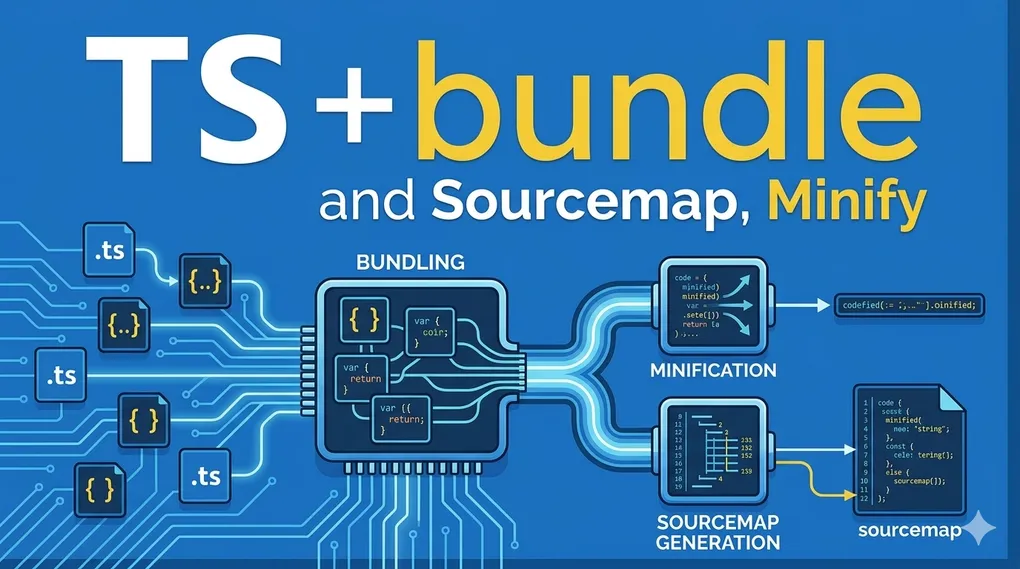
คู่มือ Bundle Library สำหรับ TypeScript/JavaScript
Tree Shaking · Code Splitting · Multi Entry · Source Map · Declaration Files · Side Effects
สารบัญ
- ภาพรวม — แต่ละอย่างแก้ปัญหาอะไร
- Tree Shaking
- Side Effects
- Code Splitting (splitting: true)
- Multi Entry Point
- ESM vs CJS
- Source Map
- Declaration Files (dts)
- การใช้งานร่วมกัน
- สรุป Config ตาม Use Case
1. ภาพรวม
ก่อนลงรายละเอียด ทำความเข้าใจก่อนว่าแต่ละอย่างแก้ปัญหาคนละด้าน:
Tree Shaking     → ลด bundle size    (ตัด unused code)
sideEffects      → ควบคุม tree shaking (บอก bundler ว่าตัดได้แค่ไหน)
splitting: true  → ลด memory         (ป้องกัน duplicate shared code)
Multi Entry      → build เร็วขึ้น    (chunk boundary ชัดเจน)
Source Map       → debug ง่ายขึ้น    (map กลับไป source)
dts              → TypeScript types  (IDE intellisense + type checking)
เข้าใจว่าแต่ละอย่างแก้อะไร → เลือกใช้ได้ถูกต้อง
2. Tree Shaking
คืออะไร
กระบวนการ ตัด dead code ออกจาก bundle bundler วิเคราะห์ว่า export ไหนถูก import และใช้จริง แล้วตัดส่วนที่ไม่ได้ใช้ทิ้ง
// lib/index.ts — export 3 functions
export function add(a: number, b: number) { return a + b }
export function subtract(a: number, b: number) { return a - b }
export function multiply(a: number, b: number) { return a * b }

// app.ts — ใช้แค่ add
import { add } from './lib'
หลัง Tree Shaking:
// bundle ได้แค่ add — subtract และ multiply ถูกตัดออก
function add(a, b) { return a + b }
เงื่อนไขที่ต้องมี
| เงื่อนไข | ผล |
|---|---|
✅ Format เป็น ESM (import/export) | Tree shake ได้ |
✅ "sideEffects": false ใน package.json | Tree shake ได้เต็มที่ |
| ✅ Named exports | Tree shake ได้ |
❌ Format เป็น CJS (require) | Tree shake ไม่ได้ |
| ❌ มี side effects (CSS, global polyfills) | Tree shake ได้บางส่วน |
package.json ที่ถูกต้อง
{
  "exports": {
    ".": {
      "import": "./dist/index.mjs",
      "require": "./dist/index.cjs",
      "types": "./dist/index.d.ts"
    }
  },
  "sideEffects": false
}
3. Side Effects
คืออะไร
Side effect คือ code ที่ run ทันทีตอน import โดยไม่ต้องเรียกใช้ function
// มี side effect — แค่ import ก็ทำงานทันที
import './polyfills'       // ← run code ทันที
import './setup-logger'    // ← inject global ทันที
import './styles.css'      // ← inject CSS ทันที

// ไม่มี side effect — ต้องเรียกใช้ถึงจะทำงาน
import { add } from './math'  // ← import มาแต่ไม่ได้ใช้ → ตัดทิ้งได้
ตัวอย่าง File ที่มี Side Effect
1. Global Polyfill
// src/polyfills.ts
if (!Array.prototype.flat) {
  Array.prototype.flat = function() { ... }  // ← modify global ทันที
}
if (!globalThis.fetch) {
  globalThis.fetch = require('node-fetch')   // ← inject global ทันที
}
2. Global Setup / Logger
// src/setup-logger.ts
const logger = new Logger()
logger.init({ level: 'info' })
globalThis.__logger = logger       // ← inject global ทันที
console.log('Logger initialized')  // ← print ทันที
3. Class Registry
// src/register-handlers.ts
HandlerRegistry.register('user', UserHandler)   // ← run ทันที
HandlerRegistry.register('order', OrderHandler) // ← run ทันที
4. CSS / Style Injection
// src/Button.tsx
import './button.css'  // ← inject CSS ทันที ไม่มี export อะไรเลย

export function Button() {
  return <button className="btn">Click</button>
}
5. Event Listener
// src/analytics.ts
window.addEventListener('click', trackClick)   // ← run ทันที
window.addEventListener('scroll', trackScroll) // ← run ทันที
setInterval(() => flushQueue(), 5000)          // ← run ทันที
เปรียบเทียบ มี vs ไม่มี Side Effect
// ❌ มี side effect
export function add(a: number, b: number) { return a + b }
console.log('module loaded!')   // ← top-level code = side effect
globalThis.VERSION = '1.0.0'    // ← top-level code = side effect

// ✅ ไม่มี side effect
export function add(a: number, b: number) { return a + b }
export function subtract(a: number, b: number) { return a - b }
export type User = { id: string; name: string }
// ไม่มี code ที่ run ตอน module load
sideEffects ใน package.json
sideEffects: false — ทุก file ไม่มี side effect
{ "sideEffects": false }Bundler มั่นใจ → tree shake ได้เต็มที่ → ตัด unused imports ทั้งหมด
sideEffects: [...] — ระบุ file ที่มี side effect
{
  "sideEffects": [
    "**/*.css",
    "./src/polyfills.ts",
    "./src/register-handlers.ts"
  ]
}- ไฟล์ที่อยู่ใน array → ไม่ตัด แม้ไม่ได้ใช้
- ไฟล์ที่ไม่อยู่ใน array → ตัดได้ ถ้าไม่ได้ import
อันตราย: set sideEffects: false แต่มี side effect จริง
// src/register-handlers.ts
HandlerRegistry.register('user', UserHandler)   // ← side effect จริง
HandlerRegistry.register('order', OrderHandler)
// app.ts
import './register-handlers' // ← import แต่ไม่ได้ใช้ค่าผลลัพธ์เมื่อ sideEffects: false:
// หลัง bundle — register-handlers ถูกตัดทิ้ง!
// HandlerRegistry ว่างเปล่า → runtime error เงียบๆ 💥
app.get('/user', handler)  // ← หา UserHandler ไม่เจอ
⚠️ Bundler ไม่ warning — พังเงียบๆ ตอน runtime เท่านั้น
วิธีแก้ที่ถูกต้อง
{
  "sideEffects": ["./src/register-handlers.ts"]
}
หรือ refactor เป็น explicit call แทน:
// register-handlers.ts
export function registerAll() {         // ← explicit function
  HandlerRegistry.register('user', UserHandler)
  HandlerRegistry.register('order', OrderHandler)
}

// app.ts
import { registerAll } from './register-handlers'
registerAll()  // ← bundler เห็นว่ามีการใช้ → ไม่ตัด ✅
Pattern สรุป
✅ Side Effect (ต้องระบุใน sideEffects array):
  globalThis.xxx = ...
  window.addEventListener(...)
  Array.prototype.xxx = ...
  console.log(...) ที่ top level
  setInterval/setTimeout ที่ top level
  CSS import (import './style.css')
  Registry.register(...)

❌ ไม่ใช่ Side Effect (tree shake ได้):
  export function ...
  export const ...
  export type / interface
  export class (ยังไม่ได้ new)
  import type ...
กฎง่ายๆ: “ถ้า import แล้วมี code ทำงานโดยที่เราไม่ได้เรียกเอง = Side Effect”
4. Code Splitting
คืออะไร
การ แยก shared code ที่ใช้ร่วมกันระหว่างหลาย entry points ออกเป็น chunk แยก แทนที่จะ duplicate ลงทุก entry
ปัญหาที่แก้
❌ ไม่มี splitting — duplicate code
dist/
  domain-a/handler.js  ← utils อยู่ข้างใน (500 lines)
  domain-b/handler.js  ← utils อยู่ข้างใน (500 lines) ← duplicate!
Node.js โหลด utils 2 ครั้ง → memory สูงขึ้น
✅ มี splitting — shared chunk
dist/
  domain-a/handler.js  ← import จาก chunk
  domain-b/handler.js  ← import จาก chunk
  chunk-XXXXXX.js      ← utils อยู่ที่นี่ที่เดียว
Node.js โหลด utils ครั้งเดียว → cache → ประหยัด memory
เมื่อไรควรใช้
มี multi-entry point?
├── ไม่มี → splitting: false (ไม่มีประโยชน์)
└── มี → มี shared code ระหว่าง entries?
          ├── ไม่มี → splitting: false
          └── มี → splitting: true ✅
⚠️ ข้อควรระวัง: splitting: true กับ frontend library ที่ถูกนำไป bundle ต่อ — chunk hash ทำให้ consumer bundler ทำงานซับซ้อนขึ้นโดยไม่จำเป็น
5. Multi Entry Point
Single vs Multi Entry
Single Entry
export default defineConfig({
  entry: ['src/index.ts'],
})
dist/
index.mjs ← ทุกอย่างรวมอยู่ที่นี่Multi Entry
export default defineConfig({
  entry: {
    'user/get-user':    'src/user/get-user/index.ts',
    'user/create-user': 'src/user/create-user/index.ts',
    'order/get-order':  'src/order/get-order/index.ts',
  },
})
dist/
user/get-user.mjs
user/create-user.mjs
order/get-order.mjsประโยชน์
| ประโยชน์ | รายละเอียด |
|---|---|
| Build เร็วขึ้น | Parse เฉพาะไฟล์ที่เกี่ยวข้องกับ entry นั้น |
| Chunk boundary ชัดเจน | Consumer bundler รู้ว่าอะไรอยู่ที่ไหน |
| Dynamic import | import('my-lib/user/get-user') |
| CSS per component | โหลด CSS เฉพาะ component ที่ใช้ |
เมื่อไรควรใช้
Library ใหญ่ (>50 exports)?             → Multi Entry ✅
ต้องการ dynamic import?                  → Multi Entry ✅
มีหลาย domain ใน project เดียว?         → Multi Entry ✅
Library เล็ก consumer ใช้ทุก function?  → Single Entry พอ
6. ESM vs CJS
ESM (ECMAScript Modules)
import { add } from './math'      // static → bundler วิเคราะห์ได้
export function calculate() { }| Tree Shaking | ✅ |
| Node.js | ✅ v12+ |
| Browser | ✅ modern browsers |
CJS (CommonJS)
const { add } = require('./math')  // dynamic → วิเคราะห์ยาก
module.exports = { calculate }| Tree Shaking | ❌ |
| Node.js | ✅ ทุก version |
| Legacy support | ✅ |
แนะนำ: Dual Format
export default defineConfig({
  format: ['esm', 'cjs'],
})
{
"exports": {
".": {
"import": "./dist/index.mjs", // ESM → tree shaking ได้
"require": "./dist/index.cjs", // CJS → legacy support
"types": "./dist/index.d.ts"
}
}
}7. Source Map
คืออะไร
ไฟล์ที่ map จาก compiled/bundled code กลับไป source code เพื่อให้ debug ได้ง่ายขึ้น
dist/index.js      ← compiled code (อ่านยาก)
dist/index.js.map  ← map กลับไป src/index.ts (อ่านง่าย)
ผลกระทบต่อ Build
| มี sourcemap | ไม่มี sourcemap | |
|---|---|---|
| Build speed | ช้าลง ~20-30% | เร็ว |
| Package size | ใหญ่ขึ้น | เล็กกว่า |
| Debug | ✅ ง่าย | ❌ ยาก |
Local Package (monorepo)
const isCI = !!process.env.CI
sourcemap: !isCI
// development → true  (debug ได้)
// CI/build    → false (build เร็ว ไม่จำเป็น)
เหตุผลที่ production ไม่ต้องมี sourcemap ของ local lib:
- app bundler รวม code ไปแล้ว
- app sourcemap ชี้กลับไป app source เท่านั้น
- sourcemap ของ dependency ไม่ได้ถูกใช้ตอน runtime
Published Package (npm)
sourcemap: true // always — consumer debug ได้เสมอ8. Declaration Files (dts)
คืออะไร
ไฟล์ .d.ts ที่เก็บ TypeScript type definitions สำหรับ compiled JavaScript
dist/index.js   ← runtime code
dist/index.d.ts ← type definitions สำหรับ TypeScript consumer
ผลกระทบต่อ Build
| dts: true | dts: false | |
|---|---|---|
| Build speed | ช้าลง ~40-60% | เร็ว |
| Package size | ใหญ่ขึ้น | เล็กกว่า |
| Type checking | ✅ | ❌ (ถ้าไม่มีทางอื่น) |
dts มีผลต่อ build speed มากที่สุดในบรรดาทุก option
Local Package (monorepo) — ไม่ต้อง gen dts
ชี้ types ไปที่ source .ts โดยตรง:
{
  "exports": {
    ".": {
      "import":  "./dist/index.mjs",
      "require": "./dist/index.cjs",
      "types":   "./src/index.ts"  // ← source โดยตรง ไม่ต้อง build .d.ts
    }
  }
}dts: false // ← ปิดได้เลย ประหยัด build time มากPublished Package (npm) — ต้อง gen dts
Consumer ไม่มี source .ts ต้องพึ่ง .d.ts:
dts: !!process.env.CI  // gen เฉพาะตอน publish ผ่าน CI
                       // local laptop ไม่ gen เพราะ ref จาก src ได้เหมือนกัน
9. การใช้งานร่วมกัน
Use Case: Backend Library หลาย Domain (Local Monorepo)
// tsup.config.ts
const isCI = !!process.env.CI

export default defineConfig({
  entry: {
    'user-mng/query/get-user':   'src/user-mng/query/get-user/index.ts',
    'user-mng/query/get-list':   'src/user-mng/query/get-list/index.ts',
    'user-mng/command/create':   'src/user-mng/command/create/index.ts',
    'order-mng/query/get-order': 'src/order-mng/query/get-order/index.ts',
  },
  format: ['esm', 'cjs'],
  splitting: true,    // ← shared prisma utils, validators ไม่ duplicate
  minify: false,      // ← ป้องกัน minify bug เช่น return await ติดกัน
  sourcemap: !isCI,
  dts: false,         // ← ref จาก src แทน
})
{
"exports": {
"./user-mng/query/get-user": {
"import": "./dist/user-mng/query/get-user.mjs",
"require": "./dist/user-mng/query/get-user.cjs",
"types": "./src/user-mng/query/get-user/index.ts"
}
},
"sideEffects": false
}Use Case: Frontend UI Library (Local Monorepo)
const isCI = !!process.env.CI

export default defineConfig({
  entry: ['src/index.ts'],
  format: ['esm'],     // ESM เท่านั้น สำหรับ tree shaking
  splitting: false,    // app bundler จัดการเอง
  minify: false,       // app จะ minify เอง
  sourcemap: !isCI,
  dts: false,
})
Use Case: Published Package (npm)
const isCI = !!process.env.CI

export default defineConfig({
  entry: ['src/index.ts'],
  format: ['esm', 'cjs'],
  splitting: false,
  minify: false,
  sourcemap: true,   // ← always true
  dts: isCI,         // ← gen เฉพาะตอน publish
})
10. สรุป Config ตาม Use Case
ตารางสรุปภาพรวม
| Option | Frontend Local | Frontend Publish | Backend Local | Backend Publish |
|---|---|---|---|---|
format | esm | esm, cjs | esm, cjs | esm, cjs |
splitting | false | false | true ถ้า multi-entry | false |
minify | false | false | false | false |
sourcemap | !isCI | true | !isCI | true |
dts | false | isCI | false | isCI |
sideEffects | false | false | ไม่จำเป็น | ไม่จำเป็น |
package.json types field
| วิธี | |
|---|---|
| Local (monorepo) | "types": "./src/index.ts" ← ชี้ source โดยตรง |
| Published (npm) | "types": "./dist/index.d.ts" ← ชี้ compiled .d.ts |
Decision Guide
ต้องการ tree shaking?
└── ใช่ → format: esm + sideEffects: false

multi-entry + shared code?
└── ใช่ → splitting: true (backend) / false (frontend)

local monorepo?
└── ใช่ → dts: false + types ชี้ src + sourcemap: !isCI

publish to npm?
└── ใช่ → dts: isCI + sourcemap: true

backend library?
└── ใช่ → minify: false เสมอ (ป้องกัน bug)
Quick Reference
Tree Shaking          = ลด bundle size    → ESM + sideEffects: false
sideEffects: false    = tree shake เต็มที่ → ทุก file ไม่มี top-level side effect
sideEffects: [...]    = ระบุ file ที่มี side effect → CSS, polyfills, registry
splitting: true       = ลด memory         → multi-entry + shared code เท่านั้น
Multi Entry           = build เร็ว         → lib ใหญ่ / หลาย domain / dynamic import
minify: false         = ต้องทำเสมอ         → ป้องกัน bug + app minify เอง
sourcemap: true       = debug ง่าย         → dev และ published package
sourcemap: false      = build เร็ว         → CI / local lib production build
dts: false            = build เร็วมาก      → local monorepo ที่ชี้ types ไป src ได้
dts: isCI             = types สำหรับ consumer → published npm package เท่านั้น
